Author: MYadminKhalluvai

  • Page Speed and SEO: Plan Them Before You Build Your Website

    Page Speed and SEO: Plan Them Before You Build Your Website

    Here’s a pattern I keep running into. Someone gets a website built, it looks great, and a few weeks later they ask why it loads so slowly and why Google isn’t sending any visitors. By then, the fixes are expensive. Page speed and SEO aren’t things you bolt on at the end. They need to be part of the plan from the very first conversation.

    Why Page Speed and SEO Need Early Planning

    Think of it like building a house. You decide on the foundation, wiring and plumbing before the walls go up, not after the family has moved in. A website works the same way. The choices you make in the first week decide how fast and how visible it will be for years.

    Slow sites usually aren’t the result of one big mistake. It’s a pile of small ones: a heavy theme, a dozen plugins nobody really needed, giant images straight from a camera, and a layout that loads far more than the visitor will ever see. Fixing all that after launch often means rebuilding whole sections.

    Speed matters for business too. People leave slow pages fast, and Google counts Core Web Vitals as part of its ranking signals. A quick site keeps visitors around and earns their trust.

    What to Decide Before You Start Building

    1. Start with a light foundation

    Pick a fast theme and keep the builder setup clean. Be honest about which features you actually need, because every plugin, animation and font adds weight.

    2. Map your pages and keywords first

    Sketch your pages, menu and URLs before any design work. Decide which page is meant to rank for which search phrase. This gives visitors a clear path and gives Google a clear picture of your site. Internal linking starts here too.

    3. Design with speed in mind

    Big hero sliders, autoplay videos and five different fonts look impressive in a mockup, but they cost you load time. I stick to one or two fonts, modern image formats like WebP or AVIF, and fixed image sizes so the page doesn’t jump around while loading.

    4. Don’t cheap out on hosting

    Hosting sets the ceiling for your speed. Choose a server near your audience, make sure caching is on and keep PHP up to date. If visitors come from several countries, add a CDN.

    5. Design for phones first

    Most people will open your site on a phone, so start there. Use readable text, buttons that are easy to tap and layouts that stay light on slower connections.

    Core Web Vitals in Plain Words

    Google looks at three things. Largest Contentful Paint (LCP) is how quickly your main content shows up, and it should be under 2.5 seconds. Interaction to Next Paint (INP) is how fast the page reacts when someone taps or clicks, ideally under 200 milliseconds. Cumulative Layout Shift (CLS) is how much things move around while loading, and it should stay below 0.1. Keep these in mind from the very first design draft, not just at the end.

    Build Technical SEO In, Not On

    While you build, set up clean permalinks, a sitemap, a sensible heading structure, descriptive alt text on images and basic schema markup. A plugin like Rank Math makes this much easier. Then run the site through Google PageSpeed Insights at every stage, not only before launch. Page speed and SEO problems are cheap to fix when you catch them early, and painful when you find them six months later.

    Final Thoughts

    A fast, search-friendly website doesn’t happen by luck. It comes from planning page speed and SEO together before the first page exists. The payoff is a site that loads quickly, ranks better and turns more visitors into customers.

    If you’re planning a new site, take a look at my WordPress services or get in touch and we can plan it the right way from day one. You can also see how this works in practice in my recent projects.

  • How I Keep My WordPress Website’s Page Speed Above 96

    How I Keep My WordPress Website’s Page Speed Above 96

    By Khaled Ahmad, WordPress Web Designer from Sylhet, Bangladesh

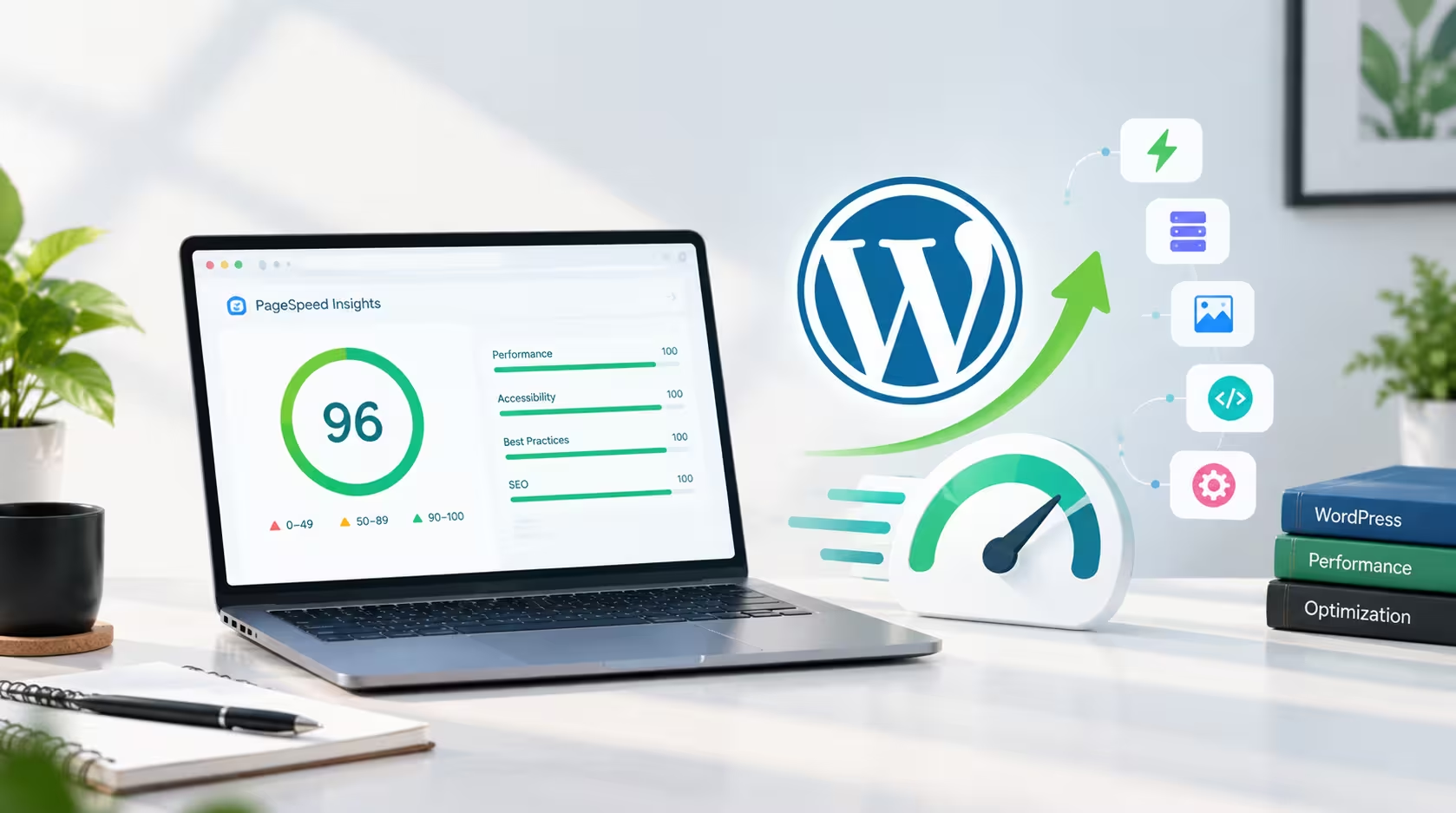
    I am a WordPress web designer, and I build most of my websites with Elementor. When I rebuilt my own portfolio, I wanted a site I could proudly show to clients: premium design, but also fast. My mobile PageSpeed score started at around 80. Today it is 98 on mobile and 100 on desktop. In this post I will share exactly what I changed, in the order I changed it, and what I learned along the way.

    Why I Care So Much About Speed

    A beautiful website that loads slowly loses visitors before they even see the design. Speed affects trust, conversions and search rankings, because Google uses Core Web Vitals as a ranking signal. I have already explained why website speed matters for your business, so this time I want to show the practical side: what I actually did on my own site.

    Step 1: Find What Is Really Heavy

    The first thing I did was run a GTmetrix test and read the waterfall chart instead of guessing. I assumed images were my biggest problem. I was wrong. My page was 478KB in total, and 324KB of that was fonts. The full Font Awesome package alone added about 250KB, and I was also loading five or six separate Plus Jakarta Sans files plus Space Grotesk.

    The lesson is simple: measure first. The biggest problem is often not the one you expect.

    Step 2: Self-Host Fonts and Keep Them Lean

    Most of my homepage is built with custom HTML widgets, so I host my fonts and icons on my own server instead of loading them from outside services. That removes extra connections to other domains. But self-hosting is not enough if you upload too many files. I had uploaded several static font weights, and each one was a separate request.

    I replaced all of them with a single variable font file of about 27KB. I preloaded it in the page head and used font-display: swap, so text appears immediately. Six requests became one.

    Step 3: Shrink Font Awesome Instead of Loading All of It

    Font Awesome contains thousands of icons, but my homepage uses only a few dozen. So I created a small subset that contains only the icons I actually use. The three icon font files dropped from roughly 250KB to about 6KB, and the icon CSS dropped from 90KB to about 3KB. The icons look exactly the same, but they load almost instantly.

    One warning: I only use this lite version on pages where I have checked every icon. If an icon is missing from the subset, it shows up as an empty box, so always test every section on desktop and mobile.

    Step 4: Serve the Right Image Size

    My hero photo was 880px wide, and every visitor downloaded it, even on a small phone that displays it at about 330px. I created three AVIF versions at 400, 640 and 880 pixels wide and used srcset and sizes so the browser picks the right one. A typical phone now downloads about 10KB instead of 41KB. I did the same for my logo, which went from about 12KB to about 4KB.

    Two more details matter here. The hero image is the largest element on screen, so I load it eagerly with high priority instead of lazy loading it. And I always set width and height so the layout does not jump while the page loads.

    Step 5: Test More Than Once

    Scores move between tests. In one of my GTmetrix runs, the server response time jumped from about 350ms to 660ms, and my score dropped from 90 to 82, even though the page was lighter than before. That was not a front-end problem at all. It was a reminder that page caching and a CDN like Cloudflare matter just as much as small files. Always run two or three tests before you decide something is broken.

    My Results

    MetricBeforeAfter
    Total page size (GTmetrix)478KB182KB
    Fonts324KBabout 48KB
    Total Blocking Time176ms0ms
    PageSpeed mobileabout 8098
    PageSpeed desktop99100

    What I Would Tell Other WordPress Owners

    • Measure before you optimize. Use the waterfall chart to find the real weight.
    • Fonts and icons are hidden weight. Use one variable font and only the icons you need.
    • Send the right image size. Use modern formats like AVIF or WebP with srcset.
    • Cache your pages. A fast server response helps everything else.
    • Do not sacrifice your design for a perfect score. A 96 to 98 score with a beautiful layout beats a 100 with a plain one.

    None of this means Elementor is slow. When you build carefully, Elementor WordPress web design can be both fast and flexible. It is also one reason WordPress is still a great choice for business websites. If you run an online shop, the same ideas apply, and you can read what makes a good store in my guide on what makes a good eCommerce website. I also use AI tools in my workflow, which I explain in how AI is changing the way WordPress websites are built.

    Want a Fast WordPress Website?

    If you want a website that looks great and loads fast on mobile, see my WordPress services or browse my recent projects. When you are ready to start, contact me and tell me about your project.

  • Why Website Speed Matters for Your Business

    Why Website Speed Matters for Your Business

    A beautiful website is important, but a beautiful website that takes too long to load can quickly lose visitors. Website speed is one of the most important parts of a good online experience, because users expect pages to open quickly on both desktop and mobile devices.

    In this article, I will explain how website speed affects your visitors, your sales and your search visibility, and what you can do to make your WordPress website faster.

    How Website Speed Affects User Experience

    When a page loads quickly, visitors can find information, explore products and take action without unnecessary waiting. A slow website creates frustration and increases the chances of visitors leaving before they see what you offer.

    First impressions are formed in seconds. If your homepage takes too long to appear, many visitors will simply go back to the search results and choose a competitor. A fast, smooth website tells visitors that your business is professional and reliable.

    Why Website Speed Is Critical for eCommerce

    For eCommerce websites, performance becomes even more important. Customers need to move smoothly from product pages to the cart and checkout. Every unnecessary delay can make the buying experience less convenient and may cause a customer to abandon the purchase.

    On mobile, where connections are often slower, a lightweight WooCommerce store makes a real difference. Fast product pages, quick image loading and a responsive checkout help customers feel confident while they shop.

    Website Speed and SEO

    Search engines want to show users the best possible results, and page experience is part of that. Google measures loading, interactivity and visual stability through Core Web Vitals, which include Largest Contentful Paint (LCP), Interaction to Next Paint (INP) and Cumulative Layout Shift (CLS).

    A faster website does not guarantee the first position, because content quality and relevance still matter most. But good performance supports your SEO efforts and helps visitors stay longer on your pages.

    You can test your own website for free with Google PageSpeed Insights. It shows your mobile and desktop scores and tells you what slows your pages down.

    How to Improve WordPress Website Speed

    There are several practical ways to improve WordPress website speed:

    • Optimize images: Use modern formats like WebP or AVIF, resize images to the size you actually need, and avoid lazy loading the main image at the top of the page.
    • Choose reliable hosting: A fast server reduces waiting time before the page even starts loading.
    • Reduce unnecessary plugins: Every extra plugin can add CSS, JavaScript and database queries.
    • Enable caching: A caching plugin such as LiteSpeed Cache serves pages faster to returning and new visitors.
    • Optimize CSS and JavaScript: Minify files, remove unused code and delay scripts that are not needed immediately.
    • Use a CDN: A content delivery network delivers your files from locations closer to your visitors.
    • Limit fonts and icon libraries: Loading only the fonts and icons you really use saves a lot of data.

    Balancing Design and Performance

    Good website performance is about balance. A website should not only look great but should also remain lightweight, responsive and easy to use. Heavy animations, oversized images and too many effects can make a design look impressive but feel slow.

    The best approach is to plan performance from the start: choose a clean layout, optimize every image, and load only what each page really needs.

    Final Thoughts

    As a WordPress web designer, my goal is to create websites that combine modern design, functionality, usability and performance, so businesses can give their visitors and customers a better experience.

    A faster website creates a smoother experience, and a smoother experience helps your business make a stronger impression. If you want a fast, professional website for your business, take a look at my WordPress web design services or contact me to discuss your project.

  • How AI Is Changing the Way WordPress Websites Are Built

    How AI Is Changing the Way WordPress Websites Are Built

    Artificial intelligence is becoming an increasingly useful tool for modern web designers. Instead of replacing the creative process, AI in web design helps designers work faster, explore ideas and solve technical problems more efficiently.

    In this article, I explain how AI is changing WordPress website development, where it helps most, and why human expertise still matters.

    How AI in Web Design Helps WordPress Projects

    For WordPress projects, AI can assist with many everyday tasks:

    • Content ideas: outlines, headlines and first drafts that a designer can refine
    • Website structure: page planning, menus and section layouts
    • Code support: CSS, JavaScript and PHP snippets for custom features
    • SEO research: keyword ideas, meta titles and descriptions
    • Troubleshooting: finding the cause of errors, plugin conflicts and speed problems
    • Repetitive tasks: image alt text, formatting and routine edits

    Understanding Client Needs

    AI can also help designers understand client requirements and turn business problems into practical website solutions. A short client brief can quickly become a clear list of pages, features and goals.

    This makes the development process more efficient and gives designers more time to focus on creativity, user experience and strategy.

    AI and Elementor Workflows

    When WordPress, Elementor and AI-assisted workflows are combined effectively, designers can build websites faster without losing quality. Elementor handles the visual layout, while AI supports the planning, custom code and content around it.

    Faster workflows also mean clients see progress sooner and can give feedback earlier in the project.

    AI Is an Assistant, Not a Replacement

    AI should be treated as an assistant rather than a complete replacement for human expertise. AI results can contain mistakes, outdated advice or code that does not suit your website. A good website still needs:

    • Proper planning and a clear strategy
    • Careful design decisions
    • Testing on desktop and mobile devices
    • Security and performance checks
    • Real-world user feedback

    Every code snippet and every piece of content should be reviewed and tested before it goes live. Always take a backup before adding new code to a live website.

    Keep Speed and Quality in Focus

    Extra scripts and heavy code can slow a page down, so performance should be checked after every change. You can test your pages for free with Google PageSpeed Insights. To learn more about this topic, read my guide on why website speed matters for your business.

    Final Thoughts

    The future of web design is not simply about using AI. It is about using AI intelligently.

    As a WordPress web designer, I combine modern tools with careful planning, testing and design, so every website supports real business goals. If you need a fast, professional website, take a look at my WordPress web design services or contact me to discuss your project.

  • What Makes a Good eCommerce Website?

    What Makes a Good eCommerce Website?

    A good eCommerce website is about much more than displaying products. It needs to make the entire shopping experience simple, clear, and trustworthy, from the first click on the homepage to the confirmation message after payment.

    Many online stores look attractive but still lose customers because something small gets in the way: a slow page, a confusing menu, a long checkout form, or missing information about delivery. A well-built store removes these obstacles so visitors can focus on one thing, which is finding and buying what they need.

    In this guide, we will walk through the eight elements that matter most, look at common mistakes online stores make, and explain why WordPress and WooCommerce are a flexible foundation for building a store that fits your business.

    1. Why Every Good eCommerce Website Needs Clear Navigation

    Customers should never have to guess where to click. Clear navigation helps people find products quickly, and it keeps them from leaving out of frustration.

    Keep the main menu simple, with a handful of well-named categories instead of a long list of links. Add a visible search bar and a cart icon that stays easy to reach on every page. Breadcrumbs help shoppers understand where they are and go back a step without starting over. Useful pages such as shipping, returns, and contact details should be one click away in the footer.

    A simple structure also helps search engines understand your store, which supports better visibility over time.

    2. High-Quality Product Presentation

    Online shoppers cannot touch or try your products, so your product pages have to do that job for you.

    Use clear, high-quality images that show the product from several angles, with a zoom option for details. Keep image sizes and backgrounds consistent so the store looks professional. Write descriptions that answer the questions customers actually have, such as size, material, color, compatibility, and how the product is used. Focus on benefits, not only specifications.

    Pricing, discounts, variations like size or color, and stock status should be easy to see without scrolling or guessing. Customer reviews on the product page add confidence and help people decide.

    3. Fast Loading Speed

    A slow store frustrates visitors, and many of them will leave before the page finishes loading. Speed is part of the shopping experience, not just a technical detail.

    Start by compressing and properly sizing images, using modern formats like WebP or AVIF. Choose a lightweight theme, keep the number of plugins under control, and use reliable hosting. Caching and a CDN such as Cloudflare can further reduce loading time for visitors in different locations.

    You can check your store with Google PageSpeed Insights to see what slows it down, and test on both mobile and desktop because the results often differ.

    4. Mobile-Friendly Design

    Many customers browse and shop using smartphones, so an eCommerce website should work smoothly on smaller screens. A design that looks good on a desktop but feels cramped on a phone will lose sales.

    Make buttons large enough to tap comfortably and keep text readable without zooming. Keep filters, menus, and forms simple to use with one hand. Avoid pop-ups that cover the content or are hard to close. Show the add-to-cart button clearly, and make sure form fields open the right keyboard, for example a number pad for phone numbers.

    Test your store on real devices, not only in a browser preview, to catch problems that visitors would notice immediately.

    5. Simple and Secure Checkout

    The checkout process is equally important. A complicated checkout creates unnecessary friction and may cause customers to leave before completing their orders.

    Ask only for the information you truly need, and offer guest checkout so people are not forced to create an account. Show shipping costs and the order total early so there are no surprises at the last step. Use clear labels and helpful error messages, and keep the order summary visible while customers fill in their details.

    Security matters too. Use HTTPS, trusted payment gateways, and clear messaging that shows customers their payment information is handled safely. A simple, well-structured checkout makes the purchasing process much easier and builds trust at the most important moment.

    6. Helpful Search and Filters

    When a store has many products, search and filtering become essential. Shoppers who know what they want should reach it in a few seconds.

    Place the search bar where it is easy to see, and make sure it handles common spelling mistakes if possible. Offer filters that match how people shop, such as price, category, size, color, and brand, along with sorting options like newest, popular, or price. If a search returns no results, show a helpful page with suggestions or popular categories instead of an empty screen.

    7. Flexible Payment and Delivery Options

    Customers are more likely to complete a purchase when they can pay in a way they trust and prefer. The right payment options depend on your market: cards and digital wallets in some places, mobile banking, bank transfer, or cash on delivery in others. For example, many stores in Bangladesh offer mobile wallets like bKash and Nagad alongside cash on delivery.

    Delivery information is just as important. Show delivery areas, estimated times, and costs clearly, and explain your return and refund policy in simple language. Order tracking and confirmation emails keep customers informed and reduce support questions.

    8. Trust and Customer Support

    People only buy from stores they trust, and trust is built through small details across the whole website.

    Show real contact information, an About page that explains who you are, and clear return, privacy, and terms pages. Add genuine customer reviews, real product photos, and visible security signals. Offering support through WhatsApp, live chat, email, or phone gives customers confidence that someone will help if something goes wrong. Fast, polite replies often turn a hesitant visitor into a loyal customer.

    Why WordPress and WooCommerce Work Well for Online Stores

    With WordPress and WooCommerce, businesses can build flexible online stores and customize them according to their products, customers, and business requirements. You own your store, you are not locked into one platform, and you can grow it step by step.

    WooCommerce supports physical and digital products, variations, coupons, shipping rules, taxes, and many payment gateways. Combined with a page builder like Elementor, it allows a design that matches your brand instead of a generic template. SEO plugins such as Rank Math help you optimize product pages, categories, and content so more people can find the store.

    The key is to build it with a clear structure, a lightweight setup, and a focus on user experience from the beginning. If you need help, you can explore my WordPress and WooCommerce services or see some recent projects.

    Common eCommerce Website Mistakes to Avoid

    Even well-designed stores can lose sales through avoidable mistakes. Watch out for these:

    • Heavy sliders, large images, and too many plugins that slow the store down
    • Pop-ups and banners that interrupt shopping, especially on mobile
    • Hidden shipping costs that appear only at the final step
    • Forcing customers to create an account before buying
    • Poor product photos and short, unclear descriptions
    • Missing contact details, policies, or customer reviews
    • Skipping mobile testing before launch
    • Ignoring basic SEO, such as unique page titles, image alt text, and clean URLs

    Quick Checklist for Your Online Store

    Use this short list to review your own store:

    • Is the menu simple and the search easy to find?
    • Do product pages have clear images, descriptions, prices, and options?
    • Does the store load quickly on mobile and desktop?
    • Can customers check out in a few simple steps, including as guests?
    • Are the payment and delivery options clear and suitable for your customers?
    • Are policies, contact details, and reviews easy to find?
    • Is the store secure with HTTPS and trusted payment methods?

    Frequently Asked Questions

    What is the most important feature of a good eCommerce website?

    There is no single feature, but a simple, trustworthy shopping experience matters most. That means clear product information, fast loading, mobile-friendly design, and an easy checkout working together.

    Is WooCommerce good for beginners?

    Yes. WooCommerce is beginner-friendly for basic stores, and it also scales to more advanced needs with extensions. A professional setup helps you get the structure, speed, and checkout right from the start.

    How can I make my eCommerce website load faster?

    Compress images, use a lightweight theme, limit unnecessary plugins, enable caching, and choose reliable hosting. Testing with a tool like Google PageSpeed Insights shows what to fix first.

    Do I need a mobile-friendly design for my online store?

    Absolutely. Many customers shop on their phones, so a store that is hard to use on mobile will lose sales and visibility in search results.

    Conclusion

    A good eCommerce website makes it easy for customers to find, understand, and purchase your products. Clear navigation, strong product pages, fast speed, mobile-friendly design, a simple checkout, helpful search, flexible payments, and visible trust signals all work together to create that experience.

    If you are planning a new online store or want to improve an existing one, start with these basics and keep testing from the customer’s point of view. Ready to build a fast, user-friendly WooCommerce store? Contact me and let’s discuss your project.
  • Elementor WordPress Web Design: How It Makes Building Easier

    Elementor WordPress Web Design: How It Makes Building Easier

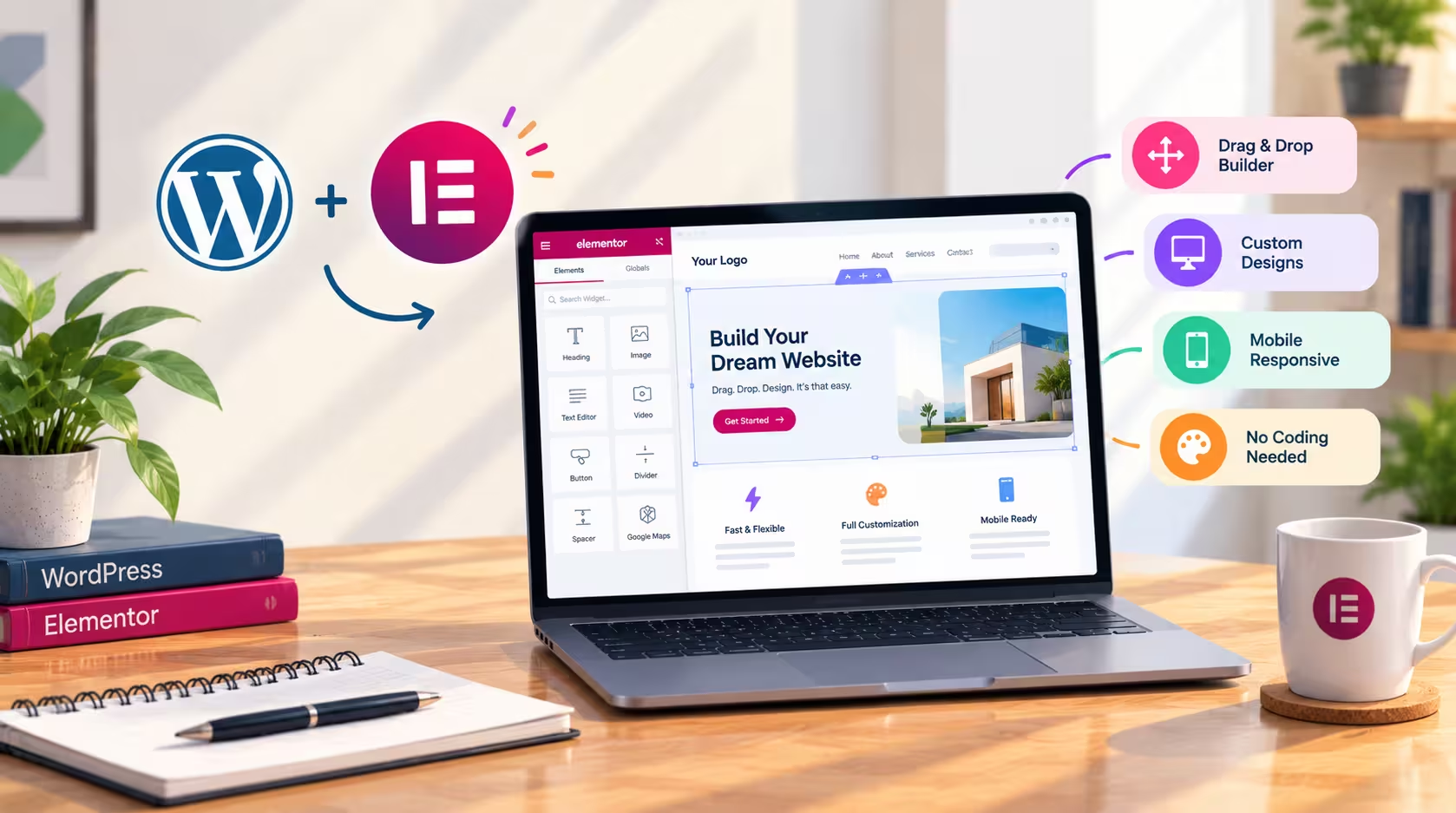
    Elementor WordPress web design has changed how many designers build websites. Its visual drag-and-drop interface lets you create and customize layouts without writing code for every change, so you can focus on how your site looks and what it needs to achieve.

    Creative Freedom in Elementor WordPress Web Design

    One of the biggest advantages of Elementor WordPress web design is creative freedom. You can control layouts, typography, colors, spacing, buttons, and sections directly in the visual editor, and you see each change as you make it. This makes it easy to experiment, compare options, and reach the final look faster. Global styles and reusable templates also keep your branding consistent across every page.

    Responsive Layouts for Every Screen

    Visitors use phones, tablets, and laptops, so a website must work well on all of them. Elementor lets you adjust layouts separately for desktop, tablet, and mobile devices. You can change column stacking, font sizes, image proportions, and spacing for each screen size. After building a page, you can test how it performs on mobile with Google’s Mobile-Friendly Test.

    Building Business Websites Faster

    For businesses, Elementor WordPress web design makes it simpler to create landing pages, service pages, portfolios, product pages, and complete business websites. A campaign page can go live in a day, and a service listing can be updated without waiting for a developer. This speed matters when a business needs to respond quickly to customers and market changes.

    Good Design Is More Than Appearance

    A visually attractive website is only part of the goal. A successful site should also include:

    • Clear navigation so visitors can find what they need in a few clicks.
    • Strong visual hierarchy that guides the eye toward headings, key messages, and calls to action.
    • Fast performance, because slow pages lose visitors. Optimize images, avoid loading the same font or stylesheet twice, and use only the widgets you need.
    • A user-focused structure built around what visitors want to do, such as learn about a service, view past work, or get in touch.

    Performance and Reliable Resources

    Page speed is a ranking and usability factor, so measure it regularly. Google’s PageSpeed Insights shows how fast a page loads on mobile and desktop and suggests specific improvements. For the basics of running a WordPress site, the official WordPress.org website is a dependable reference.

    Combining Design and Functionality

    When design and functionality work together, Elementor WordPress web design can produce professional websites that look good, load quickly, and help visitors take action. Plan the page structure before you start, choose a limited set of fonts and colors, test on real devices, and check speed after each major change. You can also explore our WordPress design services or see recent projects for examples of this approach in practice.

  • Why WordPress Is Still a Great Choice for Business Websites

    Why WordPress Is Still a Great Choice for Business Websites

    WordPress remains one of the most flexible platforms for building modern business websites. Whether you are a small business owner, freelancer, agency, or growing company, WordPress gives you the tools to create a professional online presence without starting from scratch. Its large ecosystem of themes, plugins, and developers means you can find a solution for almost any requirement, from a simple brochure site to a complex online store. For many organizations, it is still the most practical way to get online and stay there.

    Flexibility That Grows With Your Business

    One of the biggest advantages of WordPress is its flexibility. You can start with a simple website that presents your services, contact details, and a few key pages. As your needs change, you can gradually add features such as online stores, booking systems, membership areas, blogs, contact forms, and custom functionality. You do not need to rebuild the entire site each time you add something new. This step-by-step approach helps businesses control their budget and launch quickly, then improve the website as they learn what their customers actually need.

    Creating Professional Designs With Page Builders

    With page builders like Elementor, creating visually appealing websites has become much easier. Designers can build custom layouts, arrange sections, style typography, and design responsive experiences without relying entirely on complex coding. A visual editor shows changes as you make them, which speeds up the design process and makes collaboration with clients simpler. Clients can review a page, suggest changes, and see the result quickly. Combined with a strong theme and clean code, these tools make it possible to deliver polished, modern websites within realistic timelines and budgets.

    Scalability for Long-Term Growth

    Another important advantage is scalability. As your business grows, your website can grow with it. You can add new pages, products, languages, integrations, marketing tools, and analytics whenever they become necessary. A company that starts with a five-page website can later manage hundreds of product listings, multiple service categories, and a full content library, all within the same system. Because WordPress is widely supported, many hosting providers, developers, and plugin creators offer solutions that scale with your ambitions.

    SEO and Content Marketing Advantages

    WordPress is also well suited to search engine optimization. It supports clean URLs, editable page titles and meta descriptions, structured content, and a wide range of SEO plugins that help you track keywords and improve pages. A regular blog gives your business a way to answer customer questions, demonstrate expertise, and attract visitors who are searching for solutions you offer. Over time, consistent publishing can build organic traffic that does not depend entirely on paid advertising. Good SEO also depends on fast loading times and mobile-friendly design, both of which a well-built WordPress site can deliver. Google’s Search Central documentation explains the core principles behind search visibility.

    Security, Maintenance, and Reliability

    A business website must be secure and dependable. WordPress is maintained by a large community that releases regular updates to fix bugs and address vulnerabilities. To keep your site safe, you should update WordPress, themes, and plugins regularly, use strong passwords, enable two-factor authentication, and maintain reliable backups. Choose trustworthy plugins with recent updates and good reviews, and remove any that you no longer use. Hosting also matters. A stable server environment with SSL certificates, firewall protection, and automatic backups gives both you and your visitors more confidence. The official WordPress.org website offers guidance on keeping sites secure and up to date.

    Cost Efficiency and Ownership

    Compared with many custom-built platforms, WordPress can be a cost-effective choice. The core software is free and open source, so your main costs are hosting, a domain name, a theme or page builder license if needed, and professional help when you need it. You also own your content and your website files. If you change hosting providers or work with a different developer, you can take your site with you. This ownership gives businesses more control over their long-term digital assets.

    Choosing the Right Setup

    The success of a WordPress website depends on the planning behind it. Start by defining your goals, such as generating leads, selling products, or building brand awareness. Map out the pages visitors need, then choose a theme and page builder that supports those goals without unnecessary extras. Keep the number of plugins small, optimize images, and test the site on phones, tablets, and desktops. Measuring performance with tools like PageSpeed Insights helps you spot problems early. When these foundations are in place, WordPress becomes a reliable base for your business.

    A Strategic Asset for Your Business

    A well-designed WordPress website is more than an online brochure. It can become a central part of your business strategy by attracting new customers, supporting sales, sharing expertise, and building trust. When you invest in clear design, fast performance, and consistent content, your website works around the clock to represent your brand. For businesses that want flexibility, scalability, and control, WordPress remains a strong and sensible choice. You can explore our WordPress design services or review recent projects to see how these principles work in practice.